What You'll Learn
Main Steps in Video Editing
- Import FootageTransfer video clips from a camera, smartphone, or other devices into editing software.
- Cut and TrimRemove unwanted parts.
- Shorten clips to keep the video engaging.
- Arrange ClipsPlace clips in the desired order to tell a story or present information clearly.
- Add TransitionsUse effects like fades, dissolves, or wipes between clips.
- Audio EditingAdjust volume levels.
- Remove background noise.
- Add music, sound effects, or voiceovers.
- Color Correction and GradingFix brightness, contrast, and color balance.
- Apply a specific visual style or mood.
- Add Text and GraphicsTitles, captions, subtitles, logos, and animations.
- Export the Final VideoSave the project in the desired format and resolution (e.g., 1080p, 4K).
Popular Video Editing Software
- Adobe Premiere Pro
- Final Cut Pro
- DaVinci Resolve
- CapCut
- Filmora
Essential Skills for Video Editors
- Storytelling
- Timing and pacing
- Audio mixing
- Color grading
- Motion graphics
- Creativity and attention to detail
Tips for Beginners
- Start with simple cuts and transitions.
- Learn keyboard shortcuts to edit faster.
- Keep videos concise and engaging.
- Use royalty-free music.
- Practice regularly by editing short projects.
Are you interested in learning video editing, becoming a professional editor, or editing videos for YouTube/TikTok/Instagram?
Who Can Join?
- Students
- Architects
- Interior Designers
- Civil Engineers
- Animation Enthusiasts
- Creative Professionals
- Job Seekers
Why Choose IICE Computer Education?
🏆 30+ Years of Educational Excellence
🏆 Practical Project-Based Training
🏆 Experienced Faculty
🏆 Modern Computer Lab Facilities
🏆 Real-World Design Projects
🏆 Individual Student Attention
🏆 Course Completion Certificate
Admission Open
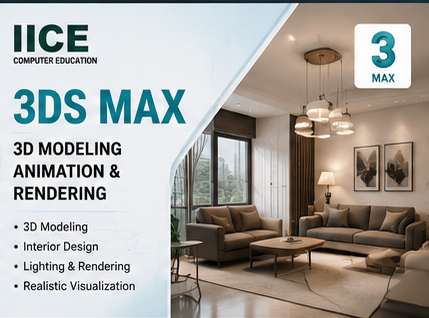
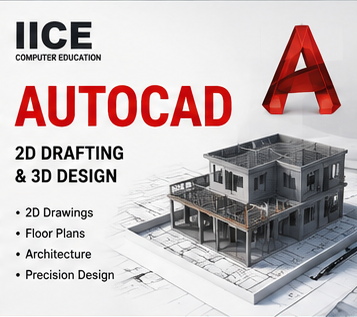
Learn professional 3D modeling, rendering, and visualization skills to build a successful career in architecture, interior design, and animation.
Requirements
- Basic computer knowledge (no prior coding experience needed)
- A computer with internet connection (Windows/Mac/Linux)
- Dedication to invest 10-12 hours per week
- Basic English comprehension